
Smart Assist · For Rentals And Hotels
Problems Reported And Fixed.
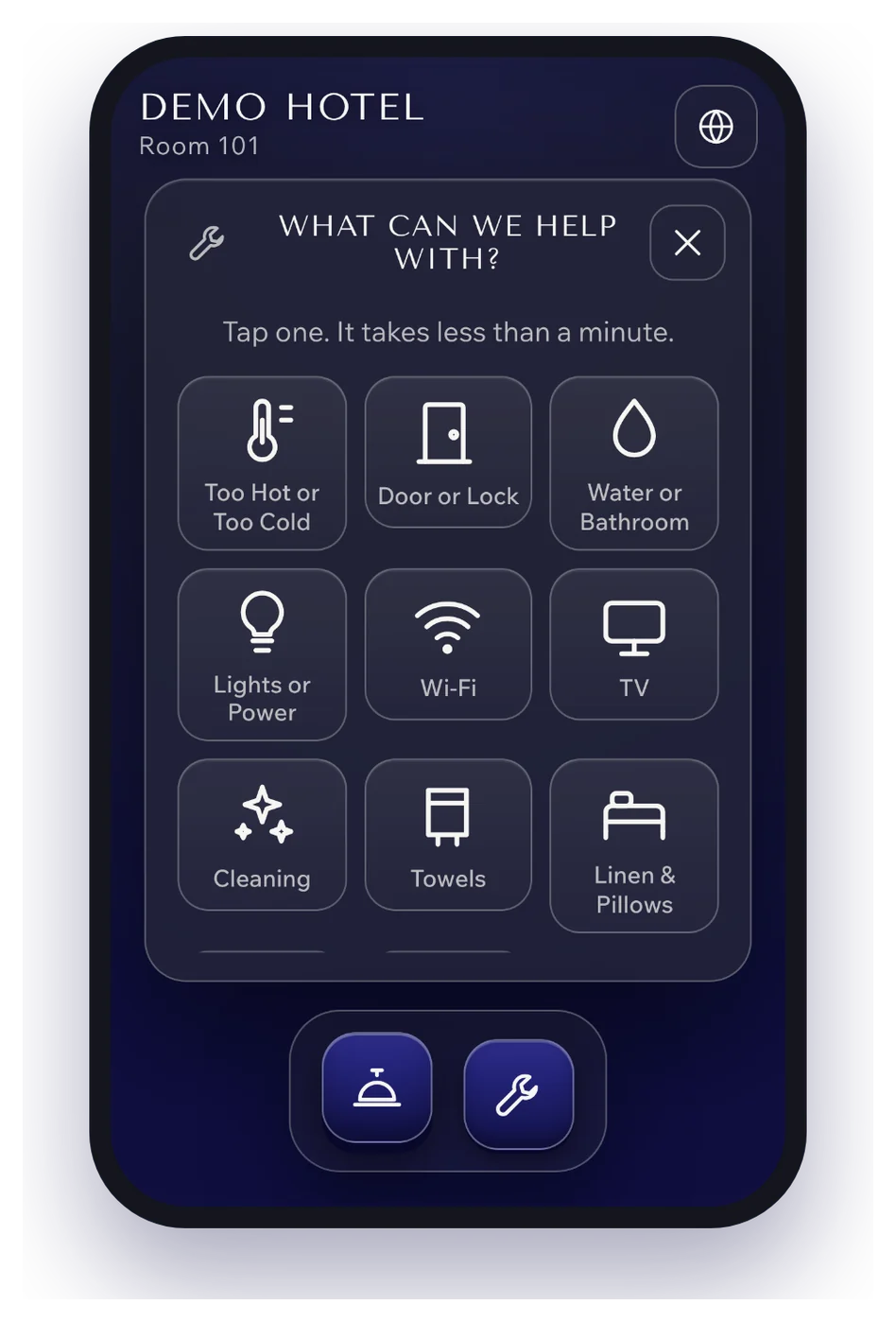
Guests scan the room QR code to report a problem, try a quick fix and choose when staff can come in. Your team gets a ticket, messages the guest and marks it done.
How It Works
From Report To Fixed, In One Flow.
No phone calls, no lost notes, no guessing which room.
Guest Scans QR
No app to download. The guest picks the problem with simple icons.
Quick Fix
For common problems, a suggested fix may solve it on the spot.
When Can We Come In
The guest chooses a time that suits them.
Team Gets A Ticket
With the room, the problem, photos and the guest’s time.
Done
Staff mark it done and the guest confirms it works.
Two Ways In
Two Ways For Your Guests.
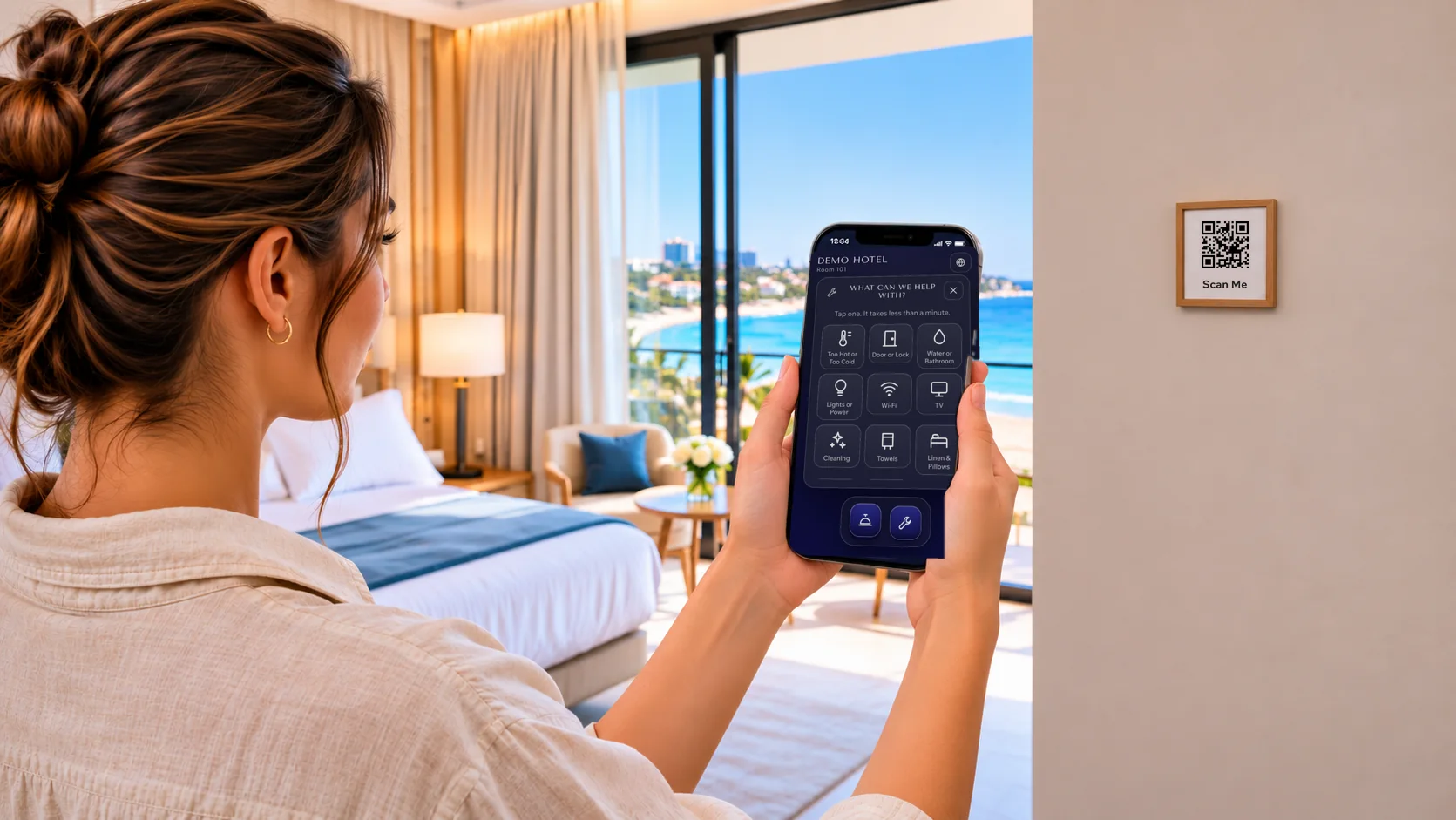
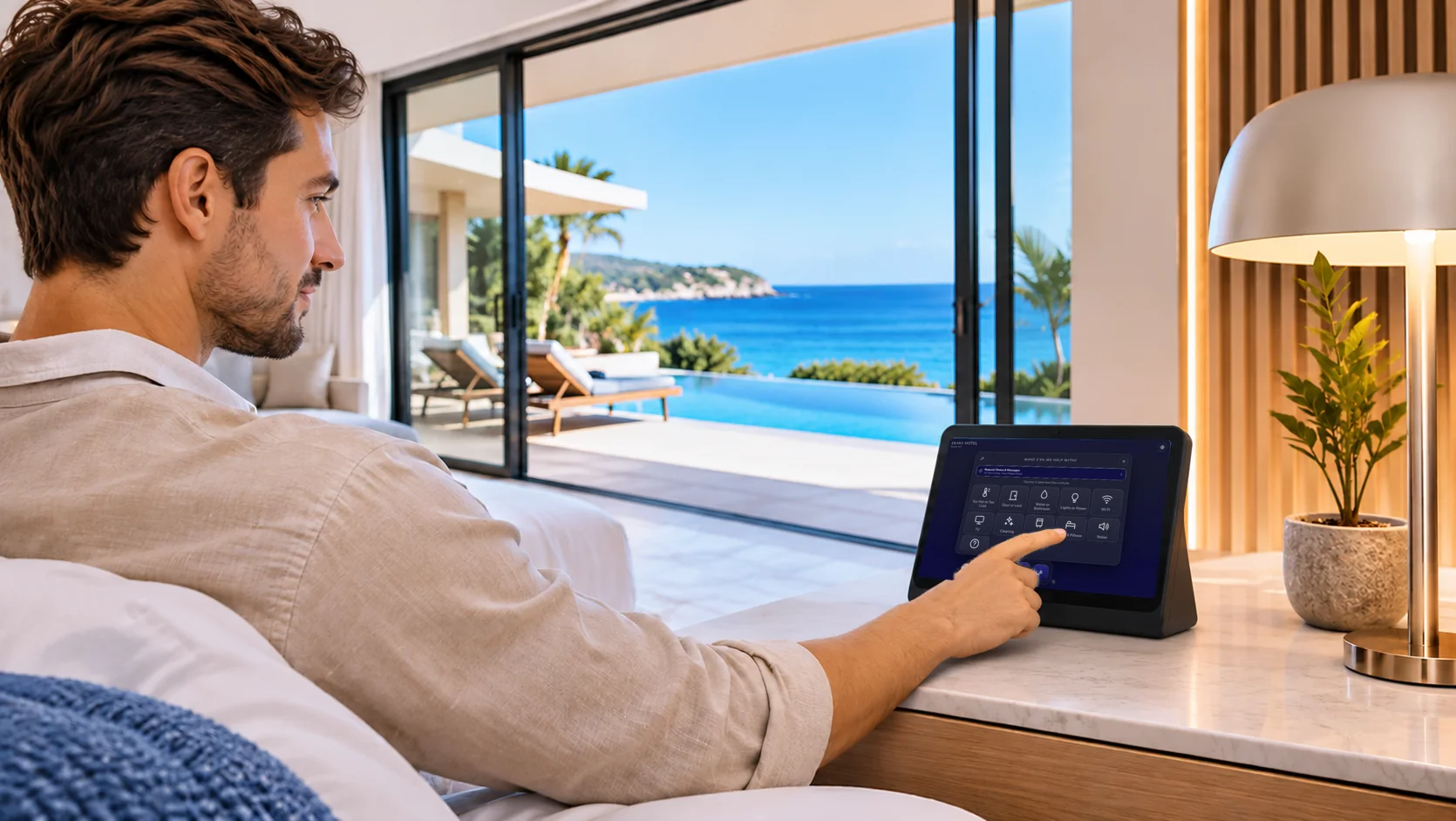
Guests report a problem from their own phone or from a touchscreen in the room. Same screens, same tickets for your team.
QR Code Frame
- Scan And Go. The guest scans the frame with their own phone. No app to download.
- Their Own Language. One tap on the globe switches the language.
- Nothing To Charge. A printed frame for each room or unit, on the wall or the desk.
Bedside Table / Desk Touchscreen
- Always On. A tablet on its stand, plugged in and locked to Hospifier.
- One Tap. Big, clear icons for every kind of problem.
- Your Photos When Idle. A slideshow of your property and the sights nearby.
- Reset Between Guests. Back to the start screen at every check-out.
For Your Team
Tickets, Not Phone Calls.
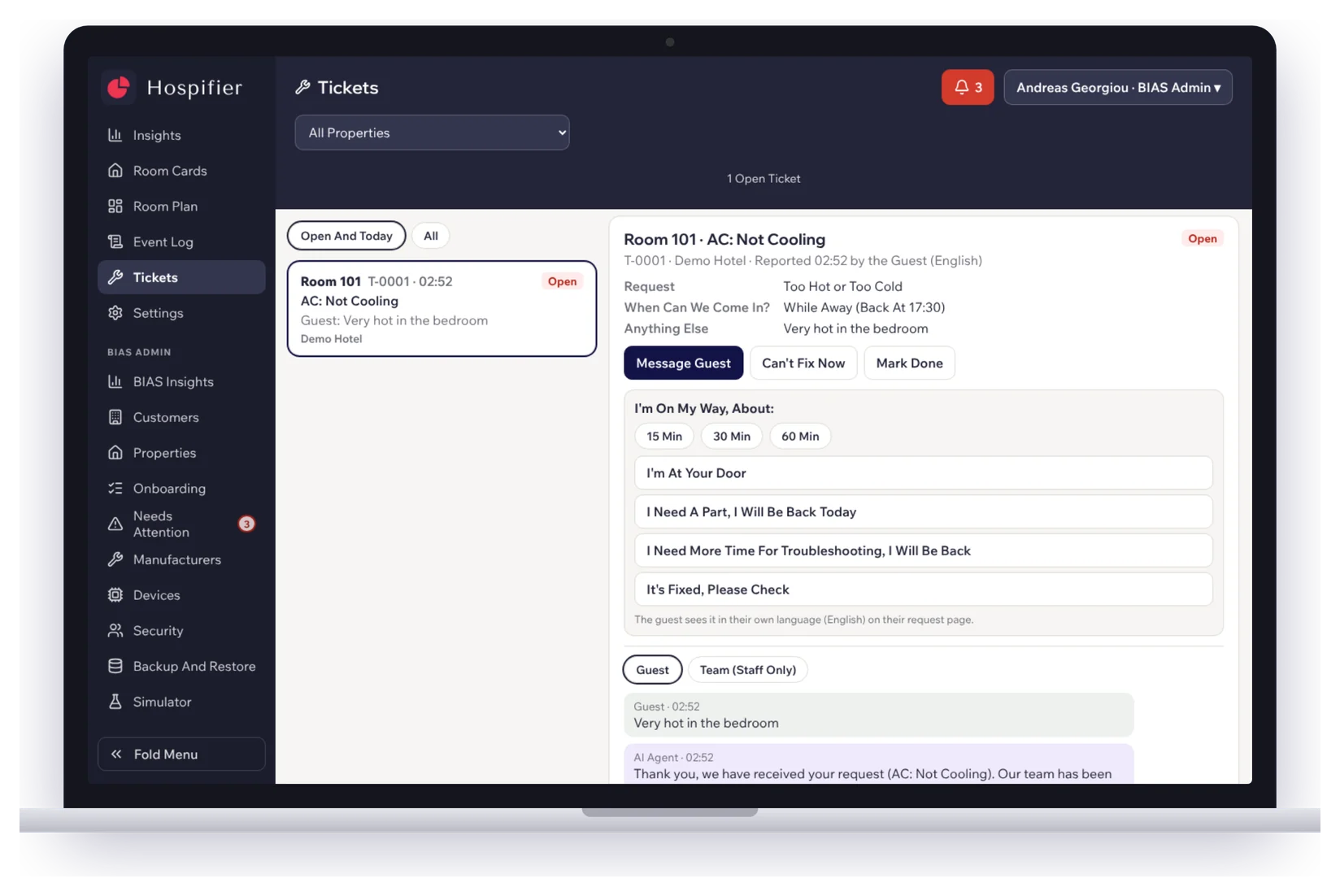
Every request becomes a ticket with a priority, assigned to the right person. Staff tap On My Way, message the guest, and add a photo when it’s fixed.
Devices report problems too: an AC that will not cool, a water leak or a lock battery running low opens a ticket by itself.
Features
Built For Real Maintenance Teams.
Guest Languages
Optional translation: guests write in their own language, your team reads it in English.
Photos
Guests can add up to 3 photos; staff add one when the job is done.
Team Chat
A chat per property, with push notifications on phones.
Urgent First
Leaks and lockouts are marked Urgent and shown on the Room Plan.
SMS Updates
Optional text messages to the guest: On My Way and Done.
In-Room Tablet
The same screens on an in-room tablet, if you have one.
Modules
Works With The Other Modules
Fewer Calls. Faster Fixes.
See Smart Assist running on a property like yours.